How to Build a Serious Homelab for Free Using Your Old Laptop or Desktop

Start Your Homelab Adventure with Hardware You Already Own
If you’ve scrolled through tech YouTube or Reddit, you’ve likely seen those awe-inspiring homelab setups stacked with servers, blinking LEDs, and cables everywhere. They might look intimidating (and expensive), but starting your own homelab doesn’t require a massive investment or specialized equipment. In fact, the tech you need is probably gathering dust in your closet right now.
Laptops and Desktops: The Unsung Heroes of Homelabbing
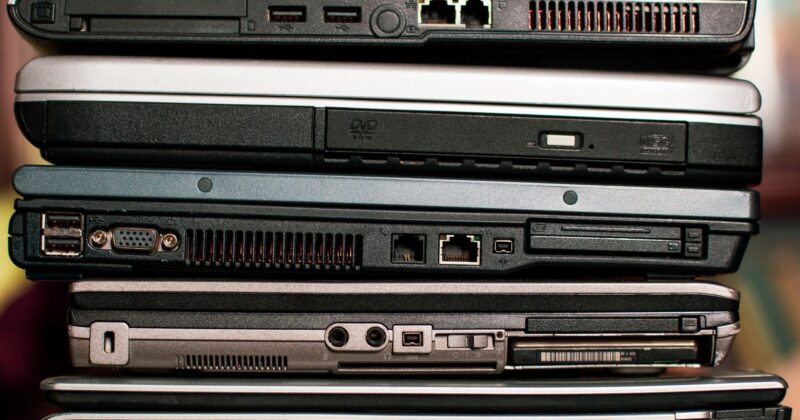
Modern desktops released in the last decade offer more than enough muscle to get your homelab rolling. Even long-retired laptops come packed with hardware that easily outperforms popular single-board computers like the Raspberry Pi Zero 2 W. With 512MB of RAM and a 1GHz processor, a Pi can already run multiple lightweight containers — so just imagine the potential hiding in that old Core i5 laptop.
Laptops offer a distinct advantage: a built-in battery backup. Power blips are the nemesis of uptime, but a laptop’s battery keeps your services online through minor outages or when moving your setup.
Setup Essentials: Docker Makes it Easy
Jumping into homelabbing is far less intimidating thanks to Docker Desktop. Docker is available on Windows, Linux, and macOS, and provides a clean way to run a wide variety of applications in isolated containers. Most homelab software vendors now package their tools as Docker containers, meaning installation is as simple as a few clicks — no command-line wizardry required.
If you want to keep your homelab apps even more separated, consider using virtual machines. Tools like VirtualBox or VMware Workstation Player let you spin up a virtualized environment; if something goes awry, your main OS remains untouched. For most beginners, however, Docker is the sweet spot of simplicity and flexibility.
What Can You Actually Run? Far More Than You Expect
One common misconception is that meaningful self-hosted projects require enterprise-grade hardware. In reality, many powerful homelab services run effortlessly on basic consumer machines. Here are a few standout options to explore:
- Plex or Jellyfin: Stream your media collection anywhere. Direct play works great even on older hardware. Hardware transcoding is limited on ancient CPUs, but for most users, that’s hardly a roadblock.
- Home Assistant: Unify your smart home devices and automate routines, from lights to sensors, all controlled in a powerful dashboard. Home Assistant can bridge ecosystems and make even non-native gadgets work with HomeKit or Google Home.
- Pi-hole: Block ads and trackers at the network level. Pi-hole is ultralight and runs brilliantly on any old PC, transforming your network experience.
- AudioBookshelf: Host your entire audiobook library locally and access it from any device — say goodbye to ongoing Audible subscriptions.
- Host Your Own Website: Even classic platforms like WordPress can run locally on modest gear. Try launching your website at home before committing to paid cloud hosting.
Homelabbing in the Modern Era
The emergence of compact, flexible platforms like Docker has made it easy to experiment with self-hosted software using whatever hardware you have on hand. Instead of splurging on enterprise server racks, dust off that old laptop, grab a copy of Linux or Windows, and start launching containers. The world of homelabbing is open to everyone with curiosity and a willingness to tinker — all without spending a dime.