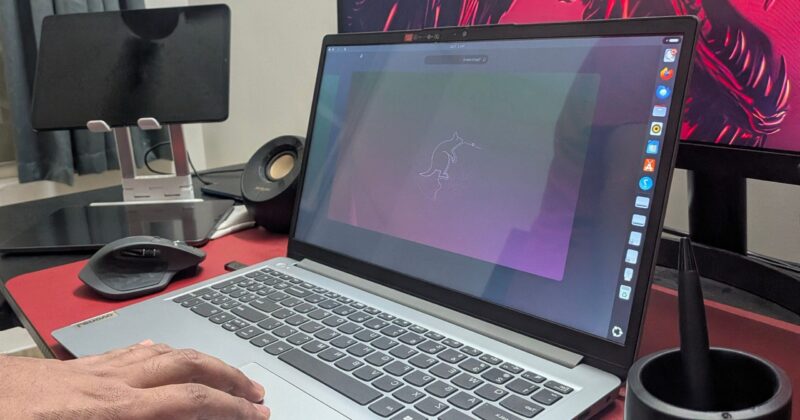
Why Ubuntu Shines on Laptops but Stumbles on Desktops: An Expert’s Insight

Ubuntu’s Unconventional Desktop Path: Trouble for Some, Treasure for Others
If you have dipped your toes into the world of Linux distributions, chances are you were told to start with Ubuntu. Its reputation as user-friendly is legendary. Yet, not everyone feels at home on Ubuntu, especially when using it on desktop PCs. But what if the problem isn’t the distribution, and instead is the very way desktops and laptops are used?
Why Desktop Users Often Clash with Ubuntu’s GNOME Experience
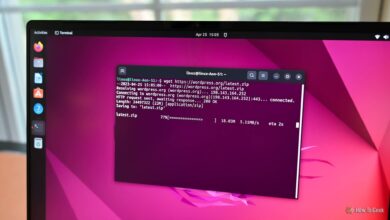
Ubuntu ships with the GNOME desktop environment, famous for its unique, workspace-oriented workflow. Traditional desktop users — especially those switching from Windows — can find GNOME’s approach counterintuitive. The instant urge to install extensions like Dash to Panel or Tray Icons: Reloaded is telling. If you’re spending time tweaking the interface to resemble a different system, wouldn’t it make more sense to choose a distribution already tailored for that workflow?
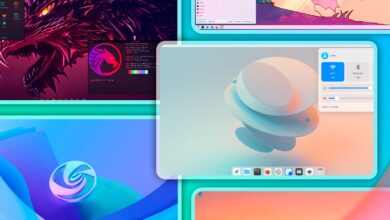
That’s exactly why alternatives like Zorin OS and Linux Mint are thriving: they blend Ubuntu’s robust core with layouts that feel more natural to users fond of Windows’ taskbar and system tray. The key friction with Ubuntu on the desktop isn’t its technical foundation, but the philosophy behind its default configuration. GNOME moves away from the classic “desktop paradigm” — the familiar taskbar, start menu, and system tray — that many associate with comfortable productivity on large monitors and with a mouse.
Ubuntu Comes Alive on Laptops: A Match Made for Mobility
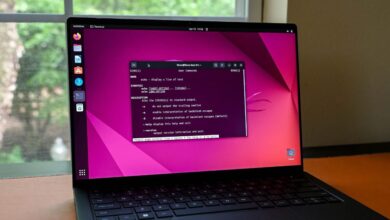
Laptops don’t play by the same rules as desktops. The smaller screens (often 15–17 inches), reliance on a touchpad instead of a mouse, tighter hardware integration, and a need for solid power management, all define a very different user scenario. Here, Ubuntu’s GNOME approach becomes a genuine advantage.
The workspace-centric workflow is tailor-made for limited real estate. With the Super (Windows) key, Ubuntu’s Activities Overview reveals active workspaces side by side. You can drag-and-drop apps, jump between tasks, and keep everything organized without crowding a single small display. Launching new apps or rediscovering existing ones is just a gesture or keystroke away — invaluable for anyone who juggles a variety of tasks on their portable machine.
Where this really shines is gesture support. Ubuntu outpaces other Linux distros with smooth, native touchpad gestures. Swiping with three fingers can move gracefully from workspace to workspace or summon the Activities Overview, adding a layer of effortless control that simply feels right on a modern laptop.
Hardware Support: Plug-and-Play Reliability
Here’s a point where Ubuntu often outperforms even its GNOME sibling Fedora. Fedora sticks tightly to free and open-source software (FOSS) principles, which is commendable for purists but translates to headaches for mainstream laptop users. Many laptops use Wi-Fi or Bluetooth chips requiring proprietary drivers, turning what should be simple connectivity into a troubleshooting adventure.
By offering proprietary drivers during install and maintaining broad vendor support (as Ubuntu is the first target for many hardware manufacturers), Ubuntu ensures that the vast majority of laptops ‘just work’ straight from the first boot. That out-of-the-box reliability—especially for networking and touchpad hardware—isn’t something to underappreciate.
Battery Life and Power Management: A Quiet Superpower
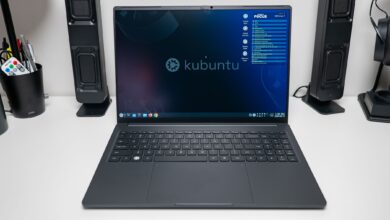
For anyone who regularly closes the lid on their laptop and expects it to sleep (and wake) without fuss, Ubuntu delivers a consistently reliable experience. While most Linux distributions trump Windows for battery efficiency, the real challenge is often handling suspend and resume gracefully. Other distros, even respected ones like Manjaro XFCE or Kubuntu, sometimes trip over this hurdle — leading to unexpected battery drain or even crashes after waking. In contrast, Ubuntu’s track record on power management and sleep reliability remains a selling point for mobile warriors.
Distinct Machines, Distinct Experiences
Your experience with Ubuntu will depend on the type of device you’re using—and what you expect from it. If you crave a seamless, touchpad-driven, workspace-rich experience, Ubuntu is built for your laptop. For desktops, alternatives tuned to the traditional workflow might serve you better. Knowing these subtleties is what helps users, from tech enthusiasts to seasoned coders, leverage the true flexibility of the Linux ecosystem.