Crimson Desert on PS5: Instantly Enhance Graphics with One Simple Setting Change

Transform Your Crimson Desert Experience on PS5
Crimson Desert, from Pearl Abyss, was released with sky-high expectations. The game introduces an ambitious open-world action adventure, but many PS5 players have quickly found themselves frustrated by unexpected performance issues. Reports of excessive pop-in, noisy shadows, and significant input delays have circulated within the community, raising questions about the game’s optimization for current-gen consoles.
The Setting Every PS5 Player Should Check
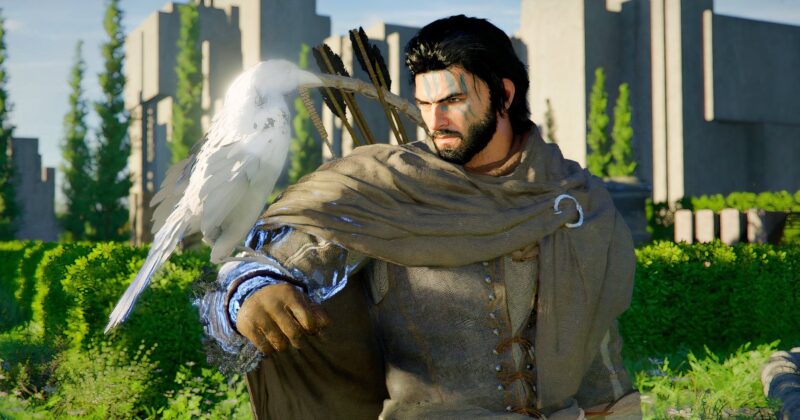
One specific issue, flagged across gaming forums, involves unclear details and odd graphical artifacts—particularly noticeable on character faces and finely textured elements like hair and arrows. The culprit? The 120Hz mode in Crimson Desert‘s Video Output settings. According to experienced players, simply turning off 120Hz mode on your PS5 can immediately boost clarity and overall visual fidelity.
Digging into the technical side, 120Hz mode is designed to work best with monitors and TVs that truly support a 120Hz refresh rate. However, most gaming set-ups in living rooms still run on TVs locked to the more typical 60Hz (especially in North America). If your display doesn’t support native 120Hz, the console or game can try to force this setting by reducing resolution or using aggressive upscaling, resulting in the blurry, distorted visuals that have frustrated so many players.
Why Turning Off 120Hz Works Wonders
When 120Hz mode is enabled on a display that can’t genuinely support it, graphical artifacts and a loss of detail can occur. The situation echoes a similar performance bug observed in Death Stranding 2, where players experienced blurry images due to the same mismatch between output settings and supported refresh rates. In both cases, disabling the 120Hz option returns the graphics to their natural crispness, restoring the intended level of detail from the designers at Pearl Abyss.
Ongoing Improvements and Community Solutions
Crimson Desert continues to receive active support from its developers, with new patches and hotfixes rolling out to address performance inconsistencies reported by both PC and console players. Notably, three patches and a specific PS5 hotfix have already been released, targeting key complaints from the community. If you are affected by persistent bugs or performance drops, it’s worth keeping an eye on upcoming updates from Pearl Abyss.
How to Change the Setting
- Navigate to Options in Crimson Desert.
- Go to Video Output settings.
- Find and disable the 120Hz mode.
- Restart the game for immediate graphical improvements.
This quick tweak demonstrates how sometimes the simplest solutions can dramatically improve your gaming experience. As Triple-A open-world games continue to push the limits of hardware, understanding your console’s settings has never been more essential for getting the most out of your titles in 2026.
Crimson Desert at a Glance
Crimson Desert is an action-packed open-world adventure driven by a single-player narrative, featuring mature themes and deep exploration systems typical of Pearl Abyss. With a Top Critic average of 79/100 and growing patch support, the title is firmly in the spotlight for those seeking a new fantasy epic in 2026.
Whether you’re a seasoned adventurer or just beginning your journey across Pywel, the right settings could mean the difference between a foggy landscape and a stunning fantasy world. For more technical tips and the latest updates on Crimson Desert, keep an eye on the game’s official channels as new patches arrive and the world gets ever more immersive.