How to Fix Marathon Server Slam Error Codes and UI Issues: Pro Tips for PC, PS5, and Xbox Series X/S

Marathon Server Slam: Troubleshooting Error Codes and UI Glitches
The anticipation for Bungie’s new extraction shooter, Marathon, has been sky high, and the server slam event offers players their first crack at the game across PC, PlayStation 5, and Xbox Series X/S. But as is tradition with large-scale multiplayer launches, technical hiccups are hitting hard—most notably on PC. Here are the latest effective solutions to the most common issues cropping up during the server slam period, as discussed among players and confirmed by Bungie’s tech teams.
Marathon Error Code W:8:80090305 — What It Means and the Fastest Fix
If you’re seeing the dreaded error code W:8:80090305, you’re dealing with server connection problems. The fix is surprisingly simple for most users: restart Marathon to force a new connection attempt. Wait times might vary depending on server load, but most players report short queues. Once initial launch hype subsides, you’ll likely find the experience smoother.
AMD RX5XX Texture Issues: What AMD GPU Users Can Do Right Now
PC gamers running any AMD RX5XX series GPU (including the RX 560, 570, 580, and 590) are noticing visual glitches and broken textures. While Bungie is expected to release a hotfix soon, your best immediate move is to update your graphics drivers from the official AMD support page. Keeping your system up to date can sometimes minimize, though not fully resolve, these rendering bugs while waiting for an official patch.
Streaming Marathon: PlayStation Plus Cloud Solution
If you’re on a PS5 and subscribe to PlayStation Plus with cloud streaming, you might be able to bypass installation headaches by streaming Marathon directly. Some users confirm that jumping into the server slam via the cloud is smoother and circumvents certain local hardware conflicts.
Changing the Default ‘Redacted’ Username
Seeing ‘Redacted:000000’ as your in-game username? That’s not a bug—just an auto-generated placeholder. To personalize your handle, log into the official Bungie website and edit your Bungie ID. Refreshing your username ensures it properly reflects within Marathon.
PC Only: Troubles With Mouse Input and Registration
For PC players, the inability to move the mouse cursor or interact with UI elements (including the acceptance of terms and conditions) is a notorious problem right now. This impacts vital early-game navigation and menu interactions.
Step-By-Step Solutions for Marathon PC UI Issues
- Run Steam as Administrator: Right-click Steam and select ‘Run as administrator’. This can resolve permissions-related input conflicts.
- Use Alt+Enter: Forcing windowed mode sometimes restores mouse focus within the Marathon client.
- Disable Overlays: Shut down Discord overlays and OBS. Stop screen sharing and disable ‘Game Detection’ in Discord. Direct screen capture sources in OBS should avoid referencing Marathon specifically.
- Steam Overlay: Go to Steam Settings → In-Game and disable ‘Enable the Steam Overlay while in-game’ as conflicting overlays are a frequent cause of locked or missing mouse cursors.
- Third-Party Utilities: Tools like Fraps, screen capture, and measuring utilities can interfere. Close any non-essential background software.
- Registration Trouble: If you’re stuck at the registration confirmation, hold down the confirm/accept button rather than tapping it.
- If all else fails, restart or reinstall Marathon to wipe out temporary glitches.
Bungie’s Official Response and Next Steps
Bungie has acknowledged widespread reports regarding mouse and input issues on PC. Their core advice reinforces the steps above: stream the entire display instead of only the Marathon window, disable overlays, and close third-party screen tools. As Marathon’s player base mostly comprises PC shooters fans, a quick patch is expected to keep the community engaged and frustration-free. For now, these hands-on workarounds remain your best option until server-side fixes arrive.
Marathon Multiplayer At a Glance
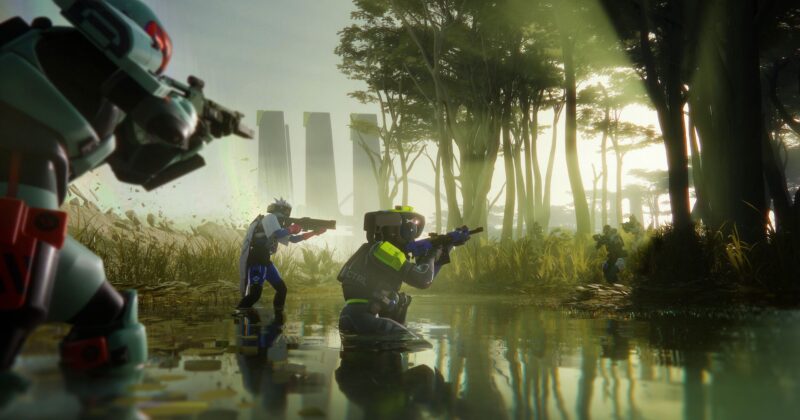
Marathon stands out as a bold entry in the extraction shooter genre, combining fast FPS action with high-stakes loot runs and cross-platform multiplayer. With support for full cross-save and co-op, players across PlayStation, Xbox, and PC can squad up seamlessly—provided those launch-day bugs don’t get in the way. Stay alert for ongoing updates from Bungie, and be ready to adapt as fixes drop in real time.