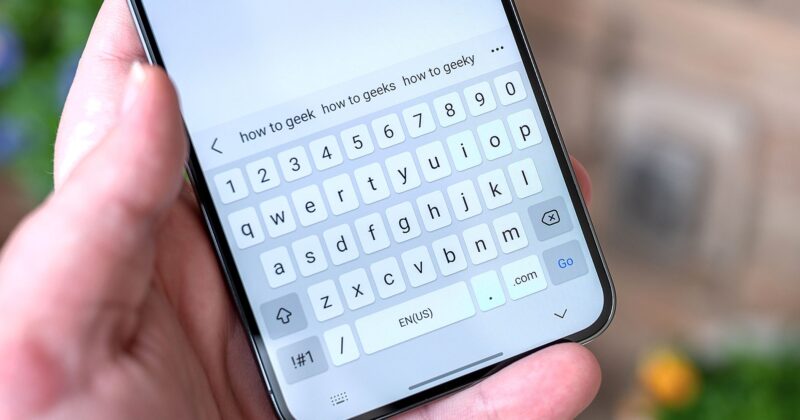
The Evolution of Typing on Android: From Fingers to Voice
We’ve spent decades training our thumbs to fly across keyboards, but as smartphones advanced, so did the ways we interact with them. The modern Android phone isn’t just a digital notepad — it’s a remarkably capable listener. Thanks to steady advances in microphones and natural language recognition, your device is ready to transcribe your speech into text with a surprising level of accuracy.
Built-in Voice Typing: More Capable Than You Think
The first thing to try is the microphone icon embedded right into your Android keyboard, whether you use Samsung Keyboard, Google’s Gboard, or another OEM’s variant. Generally found on the lower section of the keyboard interface, a simple tap activates real-time speech-to-text conversion. This feature is notably accessible and allows seamless switching between voice and manual input, perfect for those moments when you want to dictate a long message or insert a quick correction without fumbling through extra menus.
Voice typing is an everyday tool for many, and it’s versatile: dictated text can be quickly edited, and punctuation can be inserted by voice or manually. While each manufacturer’s software has its quirks — Samsung’s voice recognition runs deep in the system, while Gboard leverages Google’s continually improving AI models — none is flawless. Expect near-instant transcription, but don’t be surprised if you occasionally need to tweak wording or punctuation.
When Built-In Isn’t Enough: Specialized Voice Dictation Apps
If you crave more functionality or higher accuracy, the Write by Voice app stands out for its simplicity and adherence to Google’s Material You design. Designed to feel native, especially on devices with minimal Android skinning, it delivers features beyond your average keyboard mic. The app supports both press-to-record and always-on dictation modes, making it easy to speak naturally and at length. Recognized keywords like ‘comma’ or ‘period’ are instantly punctuated, reducing the need for manual edits.
Write by Voice also doubles as a handy note app — you can save, organize, and revisit your notes within the app’s intuitive sidebar. The free version is ad-supported, while premium upgrades are affordably priced at $1.50 per month or $10 per year. For users who rely on their phone for all sorts of writing — notes, messages, or even longer documents — this dedicated app can be a major productivity boost. Direct download is available from Google Play.
AI-Powered Dictation: Take Hands-Free Productivity Further
The frontier of voice typing is AI-driven transcription tools fueled by large language models. OtterAI has emerged as a favorite, downloaded millions of times for its ability to not only jot down spoken words but also generate actionable summaries, highlight important moments, and collaborate in real time. OtterAI is ideal if you need more than just raw transcription — for example, in business settings, meetings, or interviews.
Other innovative options like SoundTypeAI and Letterly show how the ecosystem around voice-to-text on Android is becoming richer. AI-driven apps promise continual improvement, and several offer free plans with essential features. Integrations vary, so explore which workflow best fits your own productivity rhythm.
Built-In Writing Assistance: Samsung Notes and Gemini
For users running Samsung’s ecosystem, Samsung Notes delivers integrated dictation married with cloud syncing and robust editing tools. The Gemini-based writing assistant can analyze your audio notes, clean up grammar, and format text — all in a couple of taps. Speak naturally, don’t worry about punctuation or structure, and let the AI tidy up your thoughts later. This feature brings phone-based productivity much closer to desktop-level convenience, all from your pocket.
Tech Meets Everyday Life: Typing While Living
Voice typing isn’t just about efficiency; it transforms the way we interact with our devices. By speaking instead of typing, your phone becomes an extension of yourself—not a screen that demands your attention but a tool that fits into your life. Whether you’re walking, multitasking at home, or capturing flashes of inspiration outdoors, voice dictation keeps you moving.
In practice, adopting these tools can free up your hands and your attention, letting you stay present while messaging, taking notes, or drafting blog posts. As Android and app developers continue to refine speech input, it’s clear that voice interaction is not a futuristic novelty—it’s an essential part of mobile productivity today.