Unlocking the Power of the Linux Command Line
The first encounter with the Linux terminal can feel intimidating, but beneath its black-and-white surface lies a profound truth: using the Linux command line is already programming. Each command you type, from ls to pwd, is akin to giving instructions to an exceptionally loyal robot—except, on Linux, you shape its instructions entirely to your will.
From Typing Commands to Writing Scripts
Most users begin by exploring and learning basic commands, but the real magic happens when routine actions signal an opportunity to automate. Ever find yourself performing the same sequence over and over again? That’s the perfect invitation into shell scripting. In Linux, the commands you use in the shell (like ls, grep, or cp) are exactly the ones you can embed in scripts. Think of these commands not as isolated tools, but as building blocks in a vast API that Linux exposes for you.
Whether you’re searching manpages for new command-line options or chaining together a few commands, the gap between shell use and scripting shrinks with every solution you craft. Each bash or zsh session is not just for manual commands—it doubles as a live coding environment where ideas are instantly testable.
Introducing Logic and Control Flow in Everyday Tasks
Unlike graphical interfaces, shells let you inject real programming logic into even the most mundane tasks. Need to process multiple files? Instead of tediously opening each one, consider this Bash snippet:
for file in *.py; do vim $file; done
This one-liner cycles through every Python script in your directory, opening each in Vim. Notice how the logic—represented by the loop—mirrors concepts found in full programming languages. These aren’t just tricks; they’re the foundations of automation and software development.
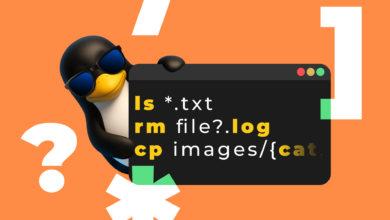
Shells like Bash and zsh extend this flexibility further by supporting conditionals (if statements), wildcards (globbing, like *.txt), and even piping output between commands to build complex workflows. Testing out a new command? The shell becomes your rapid prototyping tool, letting you iterate and perfect before embedding it in a script for repeated use.
Blurring the Line: Interactive and Scripted Workflows
Linux shells are unique because there really isn’t a wall separating live command entry from programming. If you catch yourself retyping a sequence, shell history and editing shortcuts (Ctrl+R for reverse search, anyone?) let you quickly recall and modify previous actions.
When convenience demands it, dropping your frequently used command patterns into a script means you’re leveraging programming fundamentals to save time and reduce error. This is why even experienced developers often prefer scripting for automation rather than reaching for heavier tools like Python—at least, until extra power is needed. The result? A seamless progress from interactive experimentation to robust, repeatable script-based solutions.
You’re the Real Program
The Linux shell is an event loop, patiently awaiting your next instruction. Here, you’re the real driving force. The shell doesn’t judge or make assumptions; it responds to your input—fostering an environment where every command, every script, is a reflection of your intent and creativity.
This core philosophy fuels the enduring appeal of Linux among developers, system administrators, and even creatives working in media or gaming. Whether you’re automating server housekeeping, batch-converting files, or prepping assets for a game mod, you’re building new workflows with the same logic that underpins modern software engineering.
Practical Recommendations and Resources
Ready to sharpen your command-line skills? Consider exploring the following essentials:
- Bash Beginners Guide – The official Bash Guide is a great dive into shell scripting basics.
- Oh My Zsh – Supercharge your terminal experience with themes and plugins from Oh My Zsh.
- Vim Adventures – Master text navigation in a playful way at Vim Adventures.
In the world of Linux, the terminal is far more than a relic of the past—it’s a dynamic, programmable gateway limited only by your imagination and willingness to explore.