Factory Resetting Android: Facing the Fear, Finding the Fix
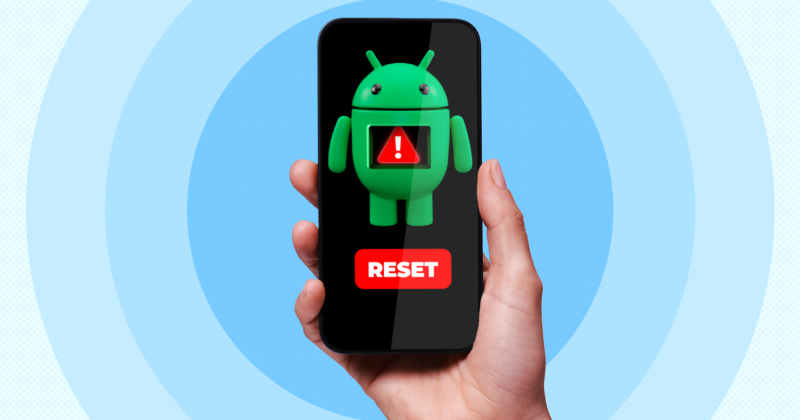
It’s the digital purge we all dread: the infamous factory reset. Ask any Android user and you’ll hear the same complaints—reinstalling apps, entering passwords, risking lost data. But despite its reputation as a «nuclear option,» a modern factory reset might be the single most effective way to breathe new life into your device—and it isn’t as traumatic as it once was.
The Hidden Toll of Never Resetting
Bugs, lag, sudden battery drain—these issues creep up naturally as devices age. While you can tinker and troubleshoot, eventually, performance hits a wall. Over years of updates, app installations, and tweaks, the Android OS can accumulate digital clutter that only a reset can truly wipe clean. No troubleshooting trick or specialized «cleaner» app comes close.
What deters users is the cloak of uncertainty around what will be lost in the process. Old tales of complete data wipes are hard to shake, especially for those who remember Android’s early days. Thankfully, things are much more predictable now. Google’s integrated backup system and cloud sync via Google Drive mean your contacts, app data, photos, and even home screen layouts are mostly safe with just a few taps in Settings > [Your Name] > Manage Backup.
How the Factory Reset Actually Works in 2026
Preparation is key. Beyond your regular Google backups, make sure to manually save anything that sits outside Google’s ecosystem. Use a file management tool like OpenMTP if you’re on Mac, or simply connect your phone to a PC to drag-and-drop crucial folders—think wallpapers, downloaded APKs, offline media—onto local or external storage. This manual step ensures no important files vanish in the digital ether.
The reset process itself is surprisingly quick—often under 20 minutes. Once you’ve wiped the device and signed in with your Google credentials, the setup wizard seamlessly offers to restore your backed-up data. You can cherry-pick what comes back, but most users opt for a full restore. Reinstalling dozens, even hundreds, of apps takes the most time (158 in my experience), but everything else—messages, permissions, DNS settings—usually snaps back with only minor hiccups.
The Pain Points: What Might Trip You Up
No reset is totally frictionless. The major annoyance lies in logging into your constellation of accounts post-reset. Password managers like Bitwarden make this smoother, but it still takes patience. Apps that manage sensitive data, like two-factor authentication (for example, Ente Auth), and banking apps may require extra steps to re-activate. Always check if those apps treat your freshly reset phone as a new device—sometimes you’ll need to deregister the old instance beforehand.
Another small snag: not all browsers sync your bookmarks by default. Brave Browser users, for instance, will want to manually back up their bookmark files. Tech-savvy users might take this as an opportunity to curate a streamlined app list or rethink notification and sound setups—most personalization survives the process, but not every custom ringtone or specific alert will make it through.
Why You Shouldn’t Fear the Process
The psychological barrier around factory resets is bigger than the technological one. Even official Android guidelines frame it as a last resort. But the reality is, with diligent prep, the plunge isn’t half as disruptive as it once was. Today’s restore options leave most of your digital lifestyle intact. After one reset, those performance fixes—restored settings, extra storage, banished bugs—make the hassle feel quite minimal. If your smartphone is limping along or settings are mysteriously vanishing, remember: starting fresh is often less painful than living with a slow, glitchy phone.